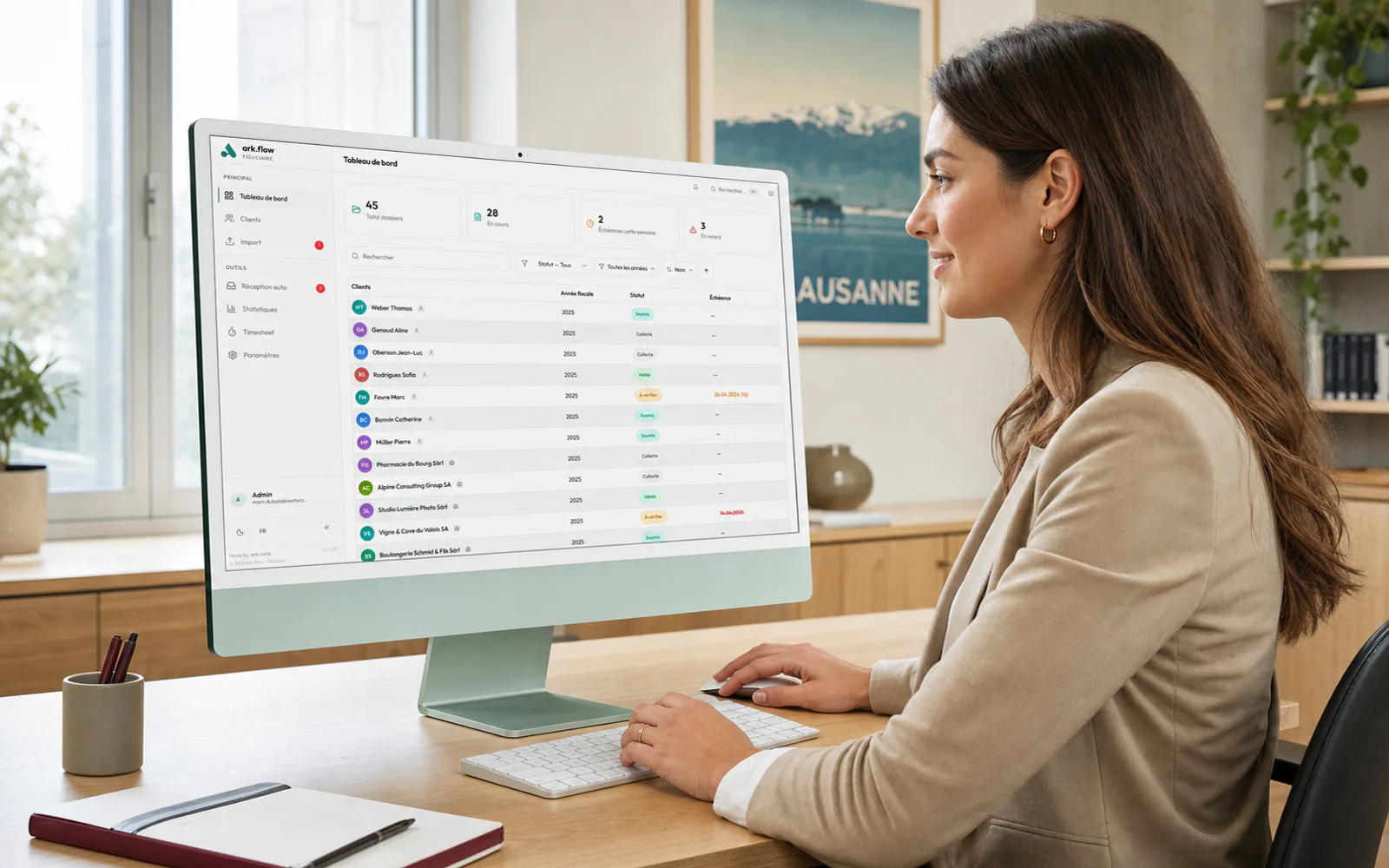
ark.flow Fiduciaire

Swiss tax workflow, mastered.

From filing to appeal — one AI platform for your fiduciary firm. Dr.Tax import, automatic DI/DT comparison, client portal with no account required.

DE LA DI À LA RÉCLAMATION DOSSIER TYPE
·01 Collecte documents client Portail sécurisé · client dépose sans compte PORTAIL
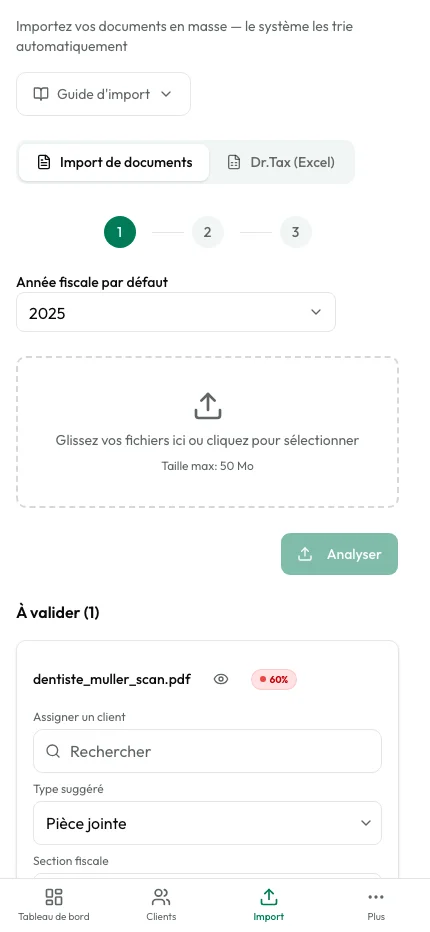
·02 Import Dr.Tax Fichiers reconnus · champs extraits automatiquement 1 CLIC
·03 Classement intelligent Type de chaque doc reconnu · déclaration, décision, justificatif IA
·04 Comparaison DI / DT Différences en CHF · règles par canton · alertes échéances IA
·05 Lettre de réclamation PDF pré-remplie · notifications à chaque étape VALIDER
Statut · produit EN PRODUCTION
  • Hosted in Switzerland
  • Sovereign AI*
  • nLPD & GDPR compliant
  • Native Dr.Tax import
  • Modular — pay for what you use

* With the Infomaniak provider, enabled by default. Other international providers are available.

  • Dr.Tax Native import of existing files
  • Auto Automatic document filing per client
  • DI/DT Automatic return vs. assessment comparison

Built for the Swiss tax workflow, not a generic template.

Why ark.flow Fiduciaire

Built exclusively for the Swiss tax workflow.

Your workspace is fully isolated

Each firm gets its own dedicated environment: its own database, storage and encryption keys. Your clients' data never mixes with another firm's.

Complete tracking for every file

Every file moves through clear stages — from document collection to archival. You see where each client stands and get notified on every change.

AI that saves you time

The system automatically recognizes each document type — return, tax decision, receipt, instalment — and files it in the right place. It then compares what you declared with what the authority retained.

Your Dr.Tax data, imported in one click

Import your Dr.Tax files directly into ark.flow. All fields are recognized automatically: identity, tax situation, cantons. No more double entry, even for hundreds of clients.

A simple portal for your clients

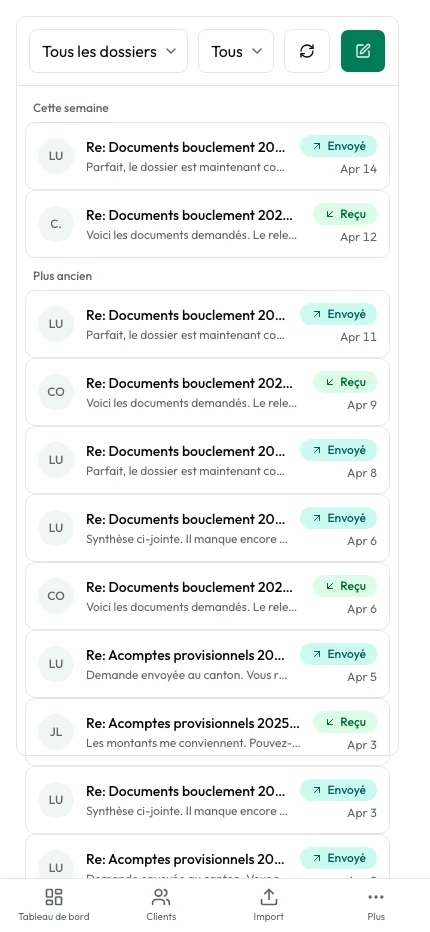
Send a secure link to your client. They see which documents to provide, upload from their phone, and you are notified immediately. No account needed.

How it works

The complete journey of a tax file.

  1. 01

    Collection

    Step 1

    You gather your client's documents — via the client portal, email or manual import. You prepare the declaration in Dr.Tax and import the data into ark.flow. The system files everything automatically.

  2. 02

    Submitted

    Step 2

    The declaration is sent to the tax authority (via Dr.Tax or another channel). The file moves to pending: you are now waiting for the tax decision. ark.flow tracks deadlines for you.

  3. 03

    To review

    Step 3

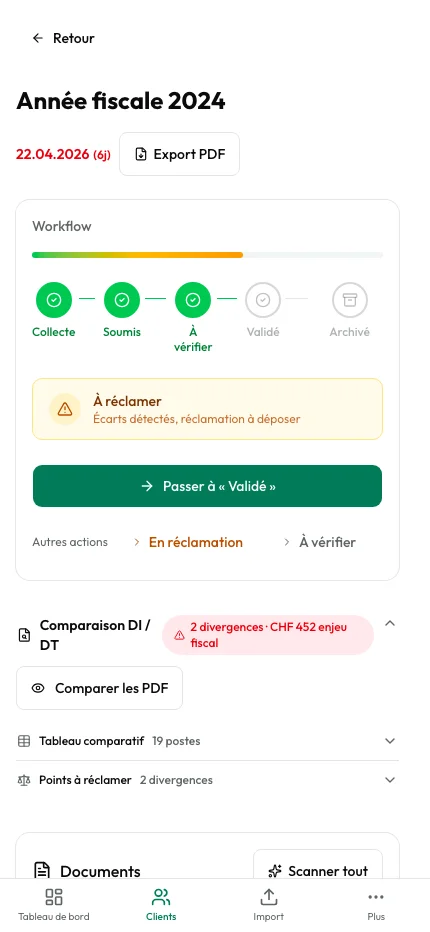
    The tax decision has arrived. The system automatically compares what was declared with what was retained, and displays every difference in CHF. You decide whether to accept or contest — if so, the file goes back to "submitted" for another round.

  4. 04

    Validated

    Step 4

    The tax decision is accepted — either directly, or after a successful claim. The file is complete for this tax year.

  5. 05

    Archived

    Step 5

    When you're ready, archive the tax year. The file disappears from your daily view but remains accessible anytime in the archives, with its complete history.

Client portal

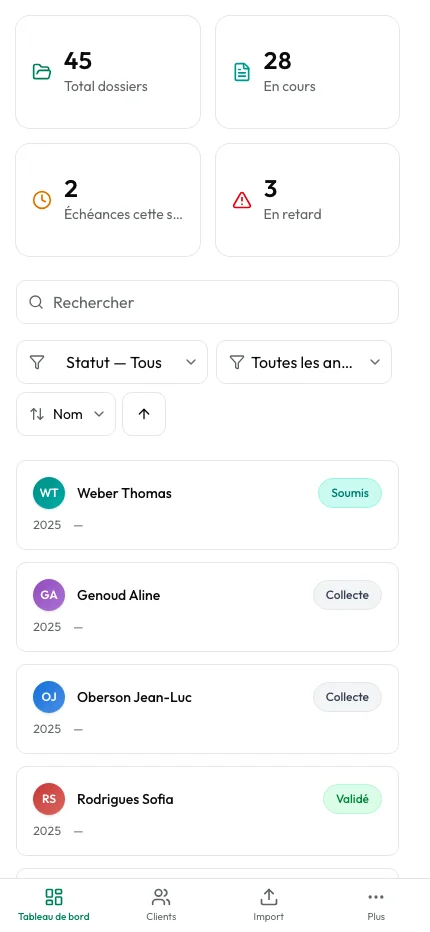
Your clients submit documents — without creating an account.

One secure link is enough. Your client sees which documents are needed, which are already provided, and the progress of their file. They send everything from their phone. You are notified immediately. No more phone follow-ups.

  • A simple secure link — no password, no account to create
  • Visual progress: "4 of 6 documents provided"
  • Every file is automatically verified on upload
  • Immediate notification to the assigned collaborator
Discover the client portal
ark.flow Fiduciaire client portal on mobile
Tax file

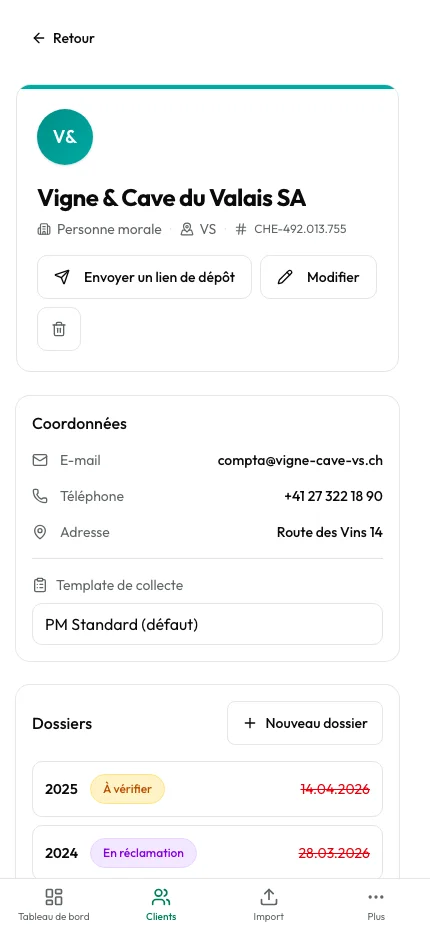
Every file, every document, every decision — in one place.

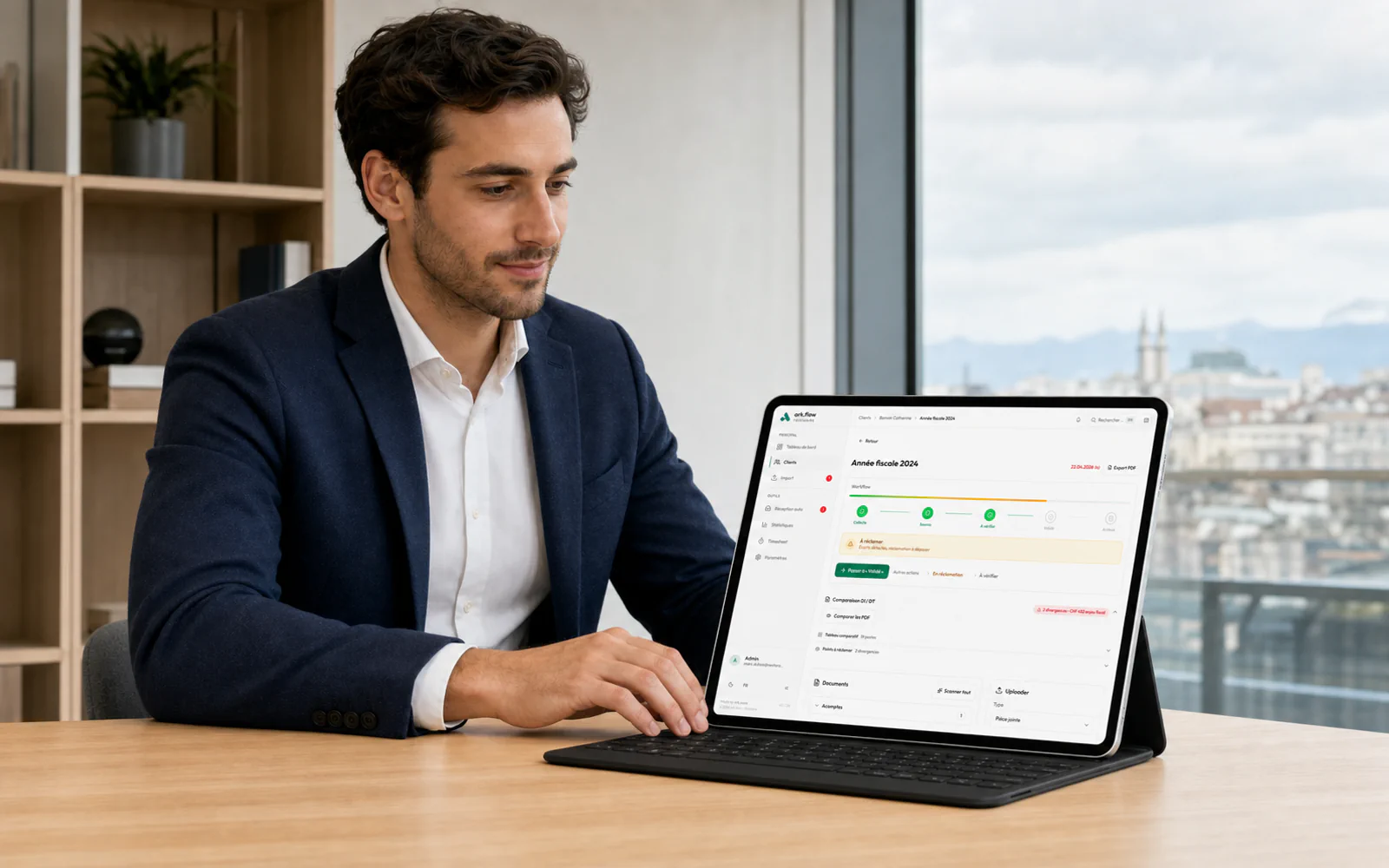
The tax file view brings together everything that matters: received documents, AI categorization, declaration/taxation comparison, and progress toward validation. The collaborator sees at a glance where each mandate stands.

  • Documents automatically categorized by AI
  • DI/DT comparison with differences in Swiss francs
  • Visual workflow: Received → In progress → To review → Validated → Archived
Tax file view with documents and DI/DT comparison
Statistics

Run your firm with numbers, not intuition.

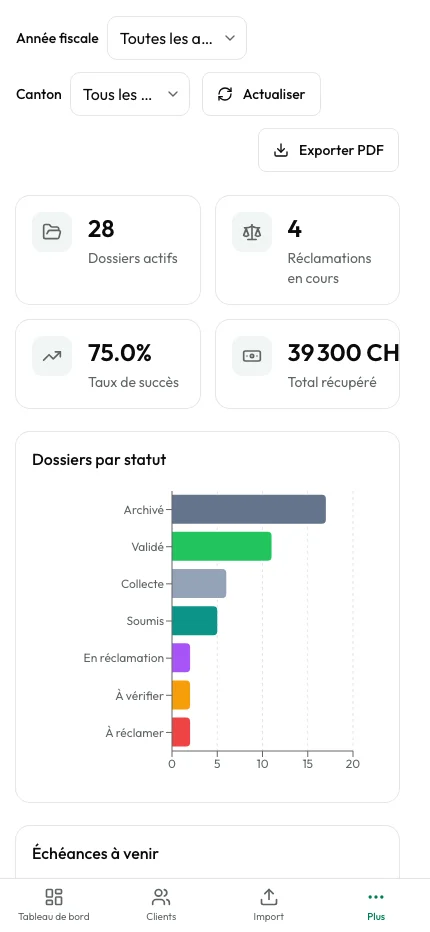
File distribution by status, claim rate by canton, average processing time, workload per collaborator. Everything is measured, visualized, exportable.

  • Real-time dashboard with period and canton filters
  • Claim trends and critical deadlines
  • PDF and CSV export for your management reports
Statistics dashboard with charts and indicators
Automatic reception

Every document is categorized by AI — before you even open it.

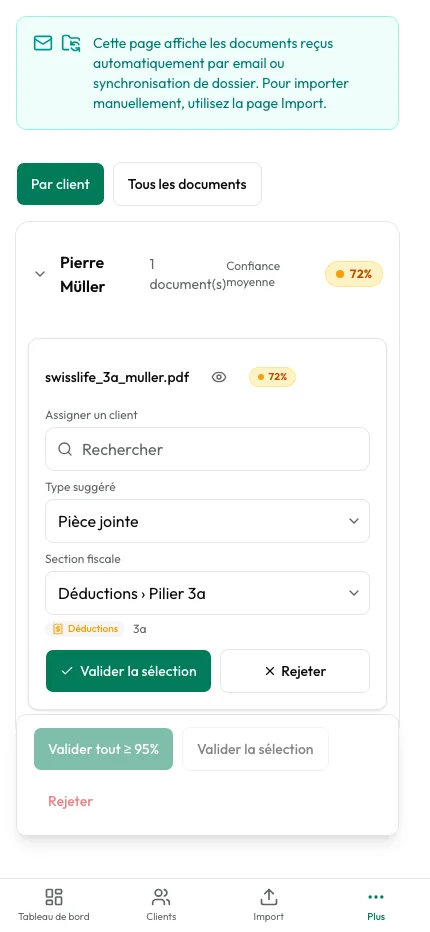
Documents received by email or folder sync arrive in the automatic inbox. AI identifies the client, document type, and relevant tax section. You validate in one click or correct if needed.

  • AI categorization: automatic document type + tax section
  • Confidence score displayed — quick validation above 95%
  • Complete history of processed and filed documents
Automatic inbox with AI categorization of tax documents
Pricing

Modular — pay for what you use.

Base

The platform foundation: client management, Dr.Tax import, smart document filing and dashboard. 5 users included, unlimited files.

999 CHF / /year
Get started

Full cabinet

All modules enabled — base + tax + portal + timesheet + mail. For firms that want everything, simply.

1’549 CHF / /year
Get started

Prices CHF excl. VAT

Your data, isolated

A dedicated environment per firm. Truly.

Every firm gets its own secure environment, its own storage and its own encryption keys. Your data never crosses another firm's — it's a technical guarantee, not a marketing claim. Hosted in Switzerland at Infomaniak, nLPD and GDPR compliant.

A dedicated environment per firm Bank-grade encryption nLPD & GDPR compliant Role-based access control
FAQ

Frequently asked questions about ark.flow Fiduciaire.

  • How much time will ark.flow save me?
    Gains depend on your current workflow. In practice, the three main levers are: Dr.Tax import that replaces manual entry for hundreds of files, automatic document filing by client, year and type, and declaration-vs-assessment comparison that catches every numeric difference without line-by-line review. The free trial lets you measure the time saved on your own real files.
  • How does the Dr.Tax import work?
    ark.flow natively imports Dr.Tax files (.bpt). Each client is created with their complete tax situation: identity, employment, spouse, cantons, tax sections. Field mapping is automatic. Bulk import replaces hours of manual re-entry, even for hundreds of files.
  • Do my clients need to create an account for the portal?
    No. Your clients receive a secure link by email. They click, see the list of requested documents, and send them directly from their browser or phone. No sign-up, no password to remember.
  • How does the declaration vs. taxation comparison work?
    When the tax authority's decision arrives, ark.flow reads the document automatically and compares it with the original declaration. Every difference is displayed in CHF with its estimated impact. You choose which points to contest, and the system helps you draft the claim letter.
  • Does ark.flow replace Dr.Tax?
    No — ark.flow complements Dr.Tax, it does not replace it. Dr.Tax remains your declaration preparation tool. ark.flow handles everything after: document collection, DI/DT comparison, claims, client portal, statistics. Both work together.
  • Can I activate modules progressively?
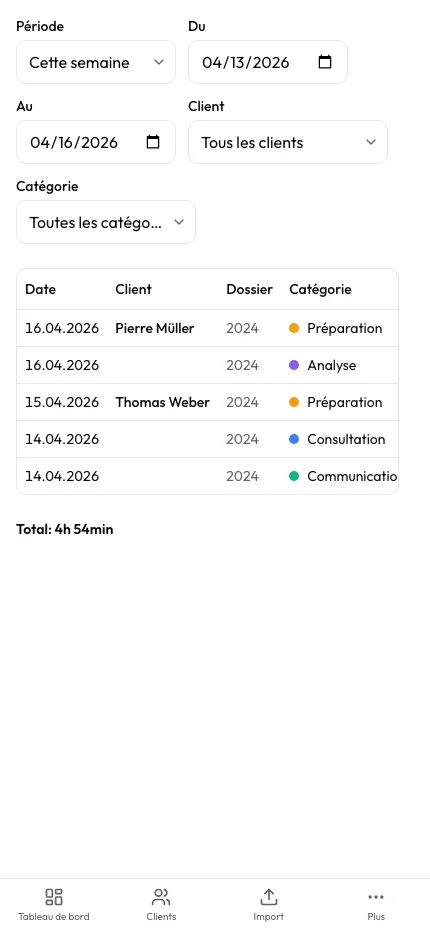
    Yes. The Base pack is mandatory and already includes client management, bulk import, AI categorization, email intake and analytics. Then add on-demand the Tax Module (DI/DT comparison + claims), the Client Portal, the Timesheet or the Mail Module — each add-on activates separately, without service interruption. You only pay for what you use.
  • Are my clients' data isolated from other firms?
    Completely. Every firm gets its own secure environment, its own database and its own encryption keys. No data can mix with another firm's — it is a technical guarantee, not just a policy. Details available on our security page.
  • What is the default claim deadline?
    ark.flow configures a default 30-day deadline, compliant with most Swiss cantons. This deadline is configurable canton by canton in settings. The system displays visual alerts: normal (> 14 days), amber warning (7-14 days), red urgency (< 7 days).
Ready to master your tax workflow?

30 days free. Credit card required, cancel anytime.

Workspace ready as soon as you sign up. Dr.Tax import included. Human support available for your onboarding.