

Currently available on request — contact us for a personalized quote.

Verified imports · Human review · Crésus .ck1

Prepare accounts ready for your fiduciary.

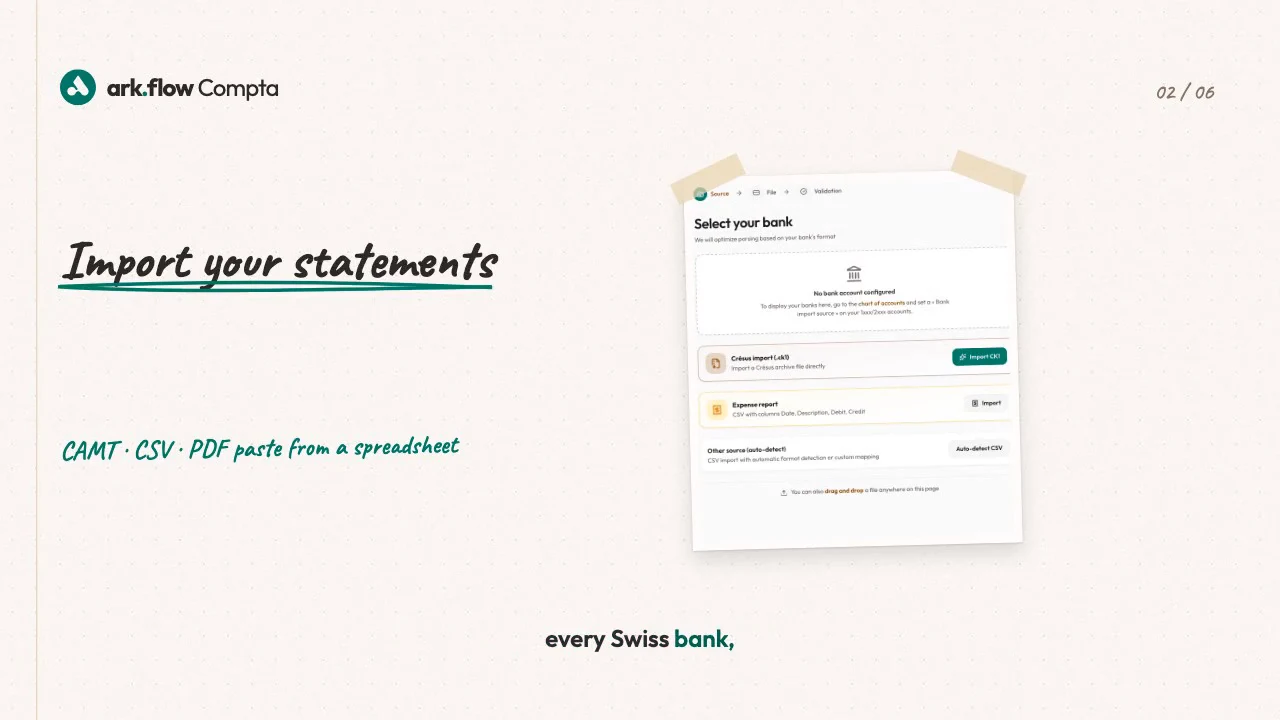
Import CAMT.053 or CSV statements, review every suggestion and export validated entries with their attachments.

A professional reviews ark.flow Compta on a large iMac in a bright Swiss office.
  • European infrastructure
  • nLPD & GDPR compliant
  • Human review
  • Crésus .ck1 exchange
Three proof points

From reviewed statement to transferred file.

Explicit bank imports

Import CAMT.053 or verified CSV files from Banque Migros, PostFinance, Stripe and PayPal.

Suggestions to review

Smart Import combines rules, history and patterns. You accept or correct every suggestion.

Crésus .ck1 exchange

Exchange validated entries and their attachments with Crésus in .ck1 format.

// DAILY REVIEW

Keep accounting decisions visible.

Imports, entries and related documents remain together in a clear workspace. You can see where a suggestion came from and keep the final say.

  • Import history and duplicate prevention
  • Entries created through bank import or manual input
An entrepreneur works naturally in front of a MacBook Pro displaying ark.flow Compta.

ark.suite

Five specialized tools, connected when you choose.

  1. Billing request: from ark.stock to ark.plan.
  2. Invoice as document: from ark.plan to ark.flow Compta.
  3. Tax cases: between ark.flow Compta and ark.flow Fiduciaire, in both directions.
Discover the full suite
FAQ

Frequently asked questions.

  • Which bank formats can I import?
    CAMT.053 is supported. Verified CSV formats are available for Banque Migros, PostFinance, Stripe and PayPal.
  • How are entries created?
    An entry comes from a bank import or manual entry. You review every suggestion before validation.
  • What happens to invoices from other ark.suite apps?
    They arrive as enriched documents with their PDF and metadata. They do not create entries.
  • How does the Crésus exchange work?
    ark.flow prepares a .ck1 file with validated entries and their attachments. You review it before transfer.
  • How do I get an offer?
    Describe your formats, volumes and organisation. We then prepare a suitable quote.
  1. Product — Step 1 of 3, completed
  2. Email — Step 2 of 3, current
  3. Confirmation — Step 3 of 3, upcoming

Personalized quote request

Describe your needs below. The ark.swiss team will contact you with a tailored proposal.